Automating Omnissa UAG Certificate Uploads with Docker — A Complete Guide

Managing SSL certificates on a Omnissa Unified Access Gateway (UAG) is a recurring challenge for administrators, especially when certificates must be replaced frequently.
This challenge became even more apparent with the rise of Let's Encrypt, whose certificates are valid for only 90 days.
While Let's Encrypt provides excellent automation for certificate creation and renewal, the Omnissa UAG has no native automated mechanism to import and activate new certificates on its REST interface.
This gap is exactly where the idea for this tool was born.
🌱 Where the Idea Came From: Let's Encrypt and Automation Pressure
Modern environments increasingly rely on automated certificate management.
Let's Encrypt issues certificates that:
- are free
- are widely trusted
- renew automatically
- but expire after 90 days
This short lifetime means:
Manual certificate updates on systems like Omnissa UAG become tedious, risky, and unsustainable.
This created the need for:
- A fully automated way to upload new certificates
- A scriptable, reproducible workflow
- A method that can integrate with CI/CD, cron jobs, or ACME workflows
- Something lightweight and easy to deploy
👉 That need led directly to the creation of the vmmachina/uag-cert-upload Docker tool.
It closes the automation gap by providing a clean, reliable way to automatically upload and activate new PFX certificates on a UAG — making it ideal for pairing with Let's Encrypt or any ACME-based certificate issuance system.
🐳 vmmachina/uag-cert-upload
A Docker-based utility that uploads .pfx certificates to Omnissa UAG using the REST API — fully automated, scriptable, and easy to run.
This guide will show you everything:
- Why this tool exists
- How it works
- How to prepare your
.pfxfile - How to run the container
- Troubleshooting & automation best practices
🚀 Why This Tool?
Managing certificates manually on UAG systems causes several recurring problems:
| Problem | Explanation |
|---|---|
| Manual UI upload | Slow, error-prone, not automatable |
| REST API requires token | Generating JWT manually is annoying |
| PFX must be Base64 encoded | The API refuses raw binary files |
| Multi-UAG deployment | Repeating the process for each UAG is tedious |
| Time pressure | Expired certificates break external VDI access |
The Docker tool solves all of these issues:
✔ Automatic PFX detection
✔ Automatic Base64 conversion
✔ Automatic token generation
✔ Automatic upload to admin, end_user, or both
✔ Works in one single command
🧱 How the Tool Works
When you run the container, it performs:
- Reads a PFX from
/pfx/ - Automatically Base64-encodes it
- Authenticates against the UAG to obtain a
accessToken - Uploads the certificate to the UAG REST endpoints
- Handles admin + end_user stores if requested
- Shows clear output and errors
The tool is built on:
- Alpine Linux
- curl
- openssl
- jq
- A custom script (
entry.sh)
📦 Preparing Your Folder Structure
Create a folder:
project/
│
├── pfx/
│ └── your-certificate.pfx
Place your .pfx file inside the pfx/ folder.
Automatic PFX detection
If there is exactly one .pfx file in the folder → it is automatically selected.
If there are multiple files, specify one using:
-e PFX_NAME="file.pfx"
▶️ Running the Tool
Pull the image:
docker pull vmmachina/uag-cert-upload
Run the upload:
docker run --rm \ -e UAG_IP="your-uag-ip" \ -e UAG_USERNAME="your-username" \ -e UAG_PASSWORD="your-password" \ -e PFX_PASSWORD="your-pfx-password" \ -e CERT_TARGET="admin|end_user|both" \ -v $(pwd)/pfx:/pfx \
vmmachina/uag-cert-upload
Environment Variables Explained
| Variable | Description |
|---|---|
| UAG_IP | The IP or hostname of the UAG |
| UAG_USERNAME | Admin username |
| UAG_PASSWORD | Admin password |
| PFX_PASSWORD | Password protecting the .pfx |
| CERT_TARGET | admin, end_user, or both |
| PFX_NAME | Optional if multiple files exist |
🔍 What Happens Behind the Scenes?
1️⃣ Base64 Encoding
The UAG REST API only accepts Base64-encoded PFX data.
The script uses:
base64 -w 0 certificate.pfx
2️⃣ Authentication
The script sends:
POST https://UAG:9443/rest/v1/jwt/login
The UAG responds with:
{
  "accessToken": "eyJh..."
}
3️⃣ Uploading the PFX
For admin certificate store:
PUT /rest/v1/config/certs/ssl/pfx/admin
For end-user store:
PUT /rest/v1/config/certs/ssl/pfx/end_user
4️⃣ Output & Error Handling
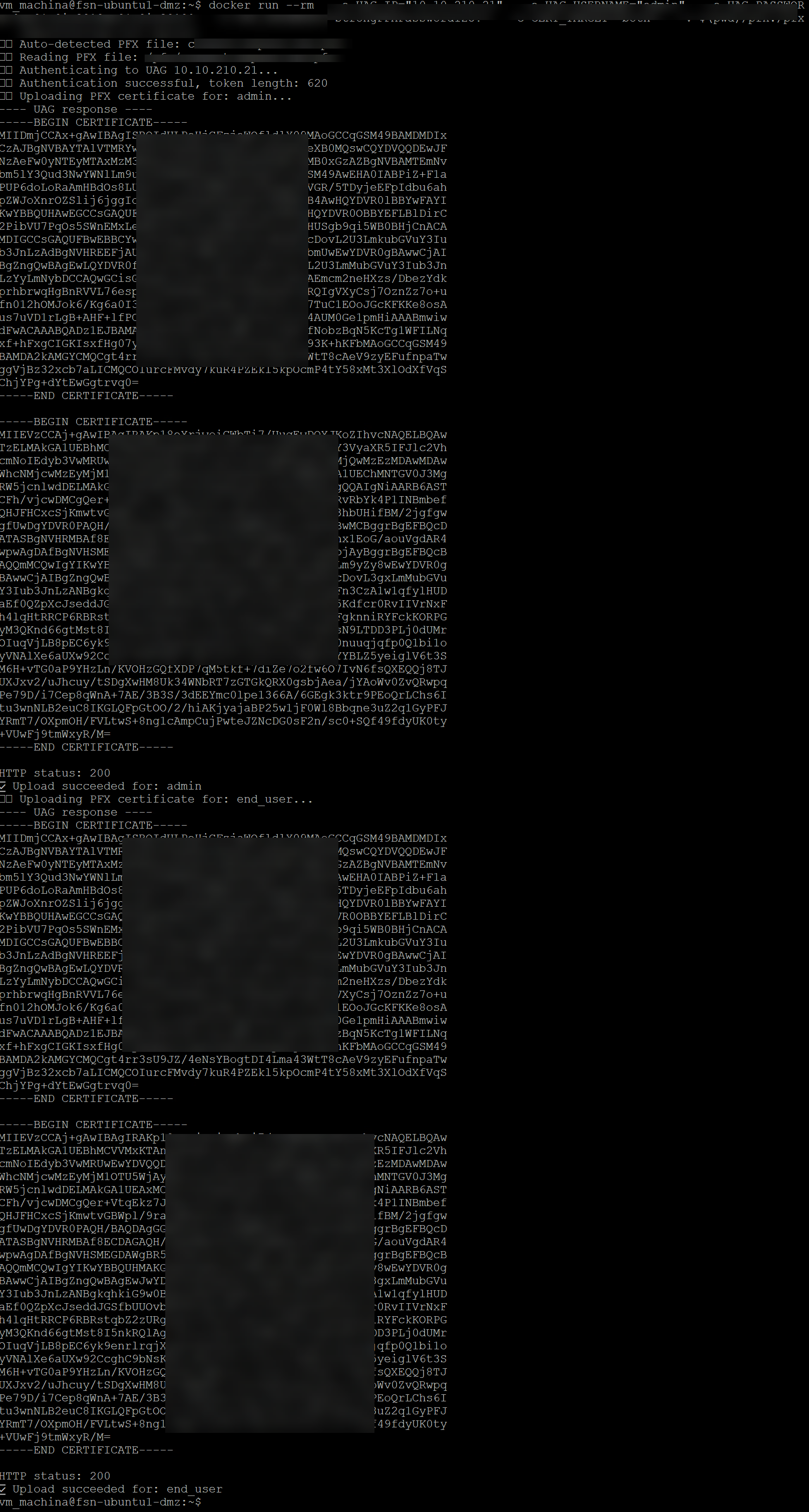
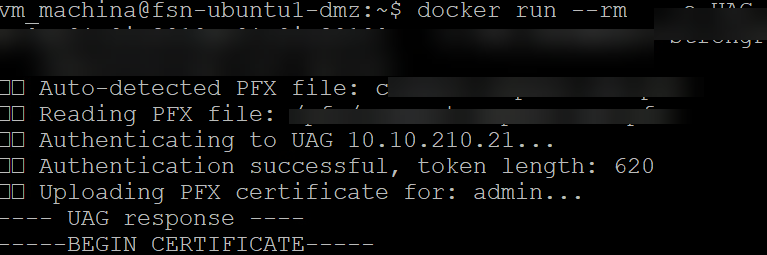
The script prints:
- The raw UAG response
- HTTP status code
- Success or failure message
🧾 Conclusion: Closing the Automation Gap for UAG in a Let’s Encrypt World
As modern IT environments move toward short-lived, automatically renewed certificates, traditional manual workflows can no longer keep up.
Let’s Encrypt has transformed the industry by making trusted certificates free, abundant, and — most importantly — renewable every 60–90 days without manual intervention.
But while Let’s Encrypt automates the creation of new certificates, systems like Omnissa’s Unified Access Gateway have historically lacked a reliable, automation-friendly way to deploy those certificates.
This created a critical gap:
- Let’s Encrypt renews certificates every 90 days
- UAG admins still had to manually upload them
- Any delay risks downtime for remote workers, Horizon users, or partner access
- Multi-node UAG deployments compound the problem
- Enterprises need predictable, scriptable, zero-touch updates
The vmmachina/uag-cert-upload tool is designed to close this gap completely.
By automating:
✔ Base64 conversion
✔ JWT authentication
✔ Certificate upload
✔ Admin + end_user store updates
✔ File detection and validation
… this tool enables Omnissa UAG to finally participate in the modern automated certificate ecosystem.
Combined with Let’s Encrypt (or any ACME-based issuer), you can now achieve:
🔄 Fully automated end-to-end certificate lifecycle management
- Certificates are issued automatically
- Renewed automatically
- And now — deployed automatically to your UAG
This eliminates human error, reduces operational workload, increases security, and ensures consistent availability for Horizon and remote access services.
In short:
Let’s Encrypt automates certificate creation.
This tool automates certificate deployment.
Together, they deliver a complete zero-touch certificate solution for Omnissa UAG.
With this, organizations can finally run UAG in a fully modern, DevOps-friendly, secure, continuous-update workflow — just like any other cloud-native service.
I hope this tool makes your work with OUAG easier, smoother, and fully automated — especially in combination with short-lived Let’s Encrypt certificates.
If you have any questions, suggestions, or want to share your experience using the tool, feel free to reach out:
📧 stg78@outlook.de or https://www.linkedin.com/in/stefan-gourguis-1ab6a570/
Best regards,
Stefan