Omnissa Workspace ONE Tunnel for Windows 25.08 – Important Change to First Sync Behavior

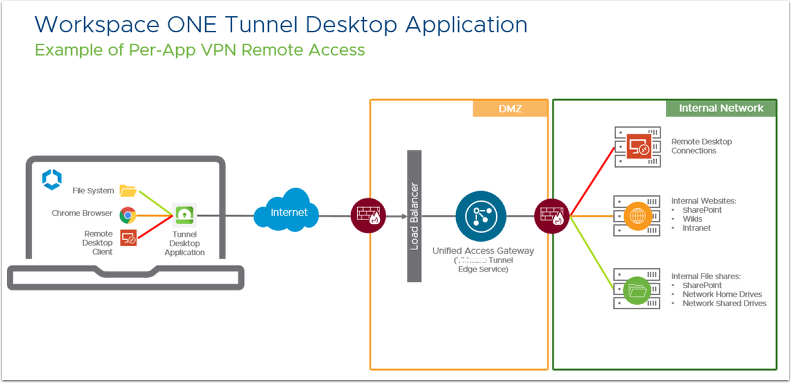
With the release of Omnissa Workspace ONE Tunnel 25.08 for Windows, there has been a key change in how the first sync is handled. For administrators deploying or upgrading to this version, it’s important to understand the new process and its impact on end users.
What Changed?
In versions 25.02 and below, the first sync of Tunnel settings and Device Traffic Rules was performed automatically. This happened after a service start or machine restart, requiring no user interaction.
Starting with Workspace ONE Tunnel 25.08:
- The first sync must be triggered manually.
- Users (or admins) need to open the Tunnel client, go to "About," and click "Sync" for the initial synchronization.
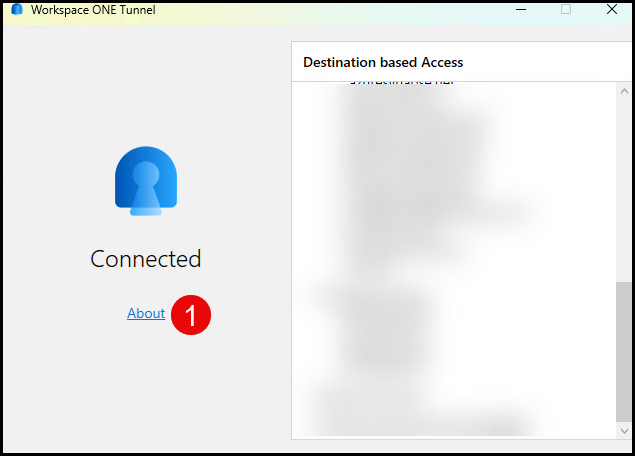
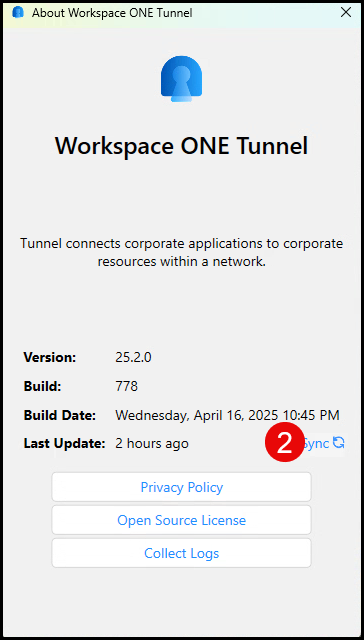
- After this first manual sync, all subsequent syncs continue automatically in the background.
Why the Change?
The change is related to the way the HMAC (Hash-based Message Authentication Code) is initialized during the first sync. In version 25.08, the client does not automatically generate the HMAC on startup, requiring a manual action to complete the process.
Impact on Admins and Users
This shift has a few operational implications:
- User Training Needed
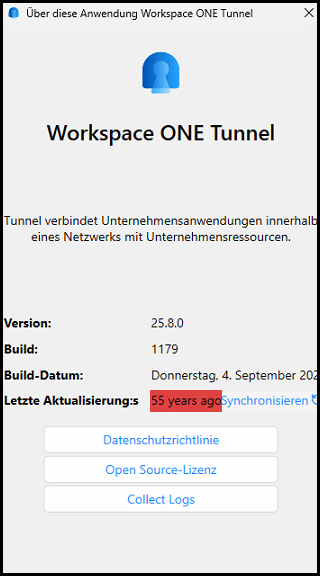
Admins must now instruct users to perform the manual sync after installation or upgrade. Without this step, Tunnel policies may not apply, leaving devices in a pending state for extended periods (up to 54 years ago ;-).
- Documentation Catch-Up
Current documentation may not fully reflect this behavior yet. Updates are expected in future revisions. - Unexpected for Long-Time Admins
Environments that have run earlier versions will notice the difference, since the process used to be completely seamless.
Looking Ahead
Omnissa has confirmed that this is temporary behavior:
- In 25.08, the first sync is manual.
- A future release is expected to restore automatic first sync, eliminating the need for user involvement.
Recommendations
If you are deploying Workspace ONE Tunnel 25.08 for Windows:
- Update Onboarding Steps – Add instructions for users to manually trigger the first sync.
- Communicate Early – Notify service desk teams and end users to reduce confusion.
- Track Release Notes – Watch for updates in upcoming versions where the first sync behavior is expected to improve.
Conclusion
Omnissa Workspace ONE Tunnel 25.08 introduces a manual step for the initial sync on Windows, which may catch admins off guard if they are used to older versions. By preparing users and IT teams with the right instructions, organizations can avoid delays in policy application. The good news: this is only temporary, and future versions are expected to restore a more seamless first-sync experience.