Using the new Omnissa Workspace ONE UEM 25.06 Launch Type (Launch Uri) Feature for Small Win32 Applications

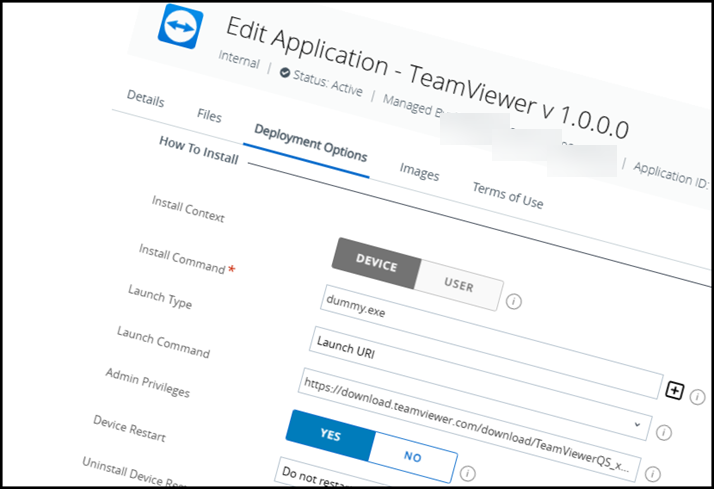
In most cases, a software version brings useful new features, apart from bug fixes and patches. Especially in Omnissa Workspace One UEM, it's often the case that the latest features only become more or less useful when you're working with them. They're often not even mentioned in the release notes, and you stumble across them more by chance while working in the GUI.
This is also not directly mentioned in the release notes of the current Workspace ONE UEM release 25.06.
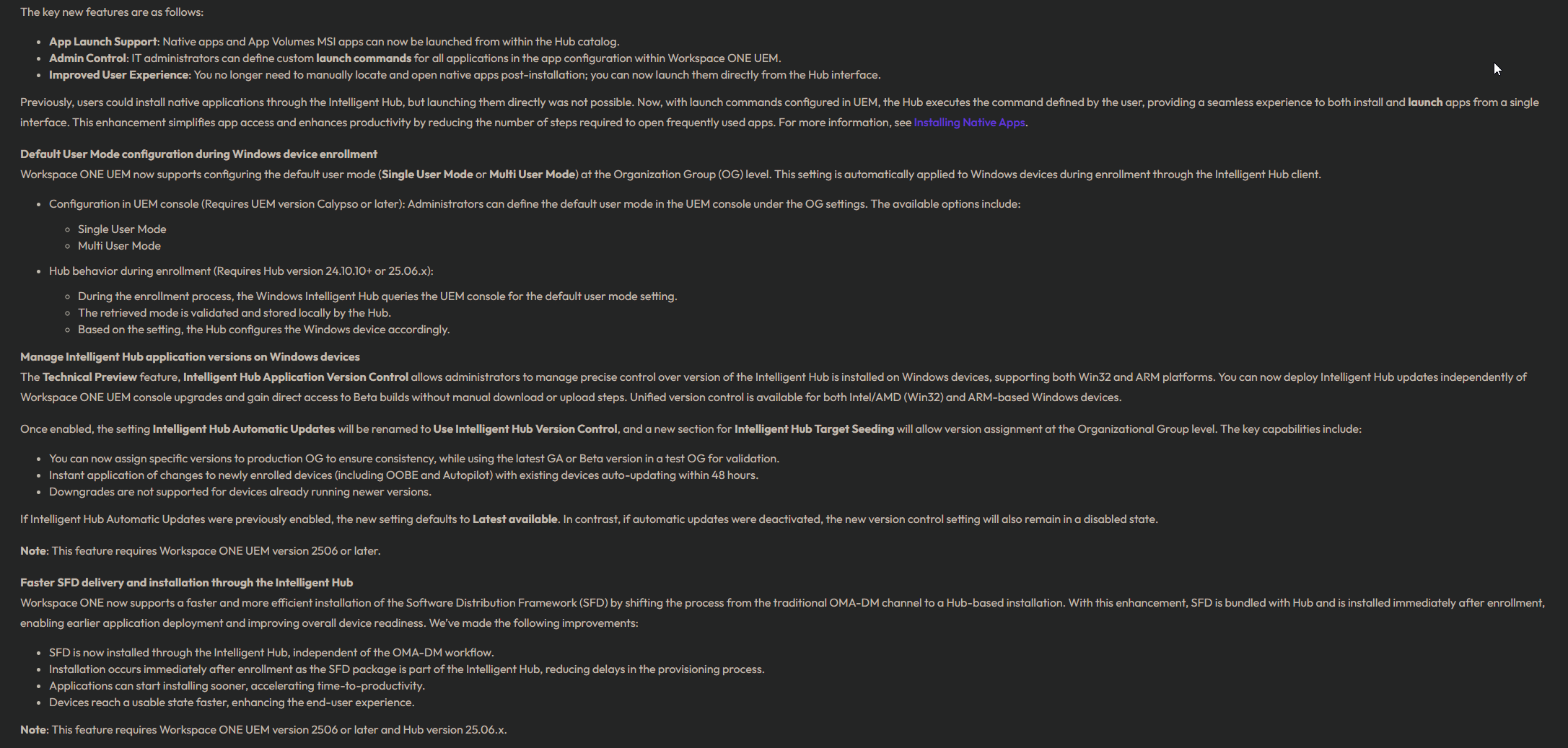
🔎 It was already known that it would be possible to run applications directly from the Intelligent Hub. What immediately piqued my interest, however, was when I saw that there was also a Launch URI command under the Deployment Options.
🚀 Most importantly, this new option goes far beyond the traditional way of linking through simple web links in UEM. Applications are now displayed as real applications in the Intelligent Hub — not as websites. This resolves a common source of confusion from the past and opens the door to entirely new possibilities for how we can deliver tools to users.
In practice, this feature could significantly streamline how administrators deliver small, frequently updated tools, while giving users a smoother and more consistent experience right from the Intelligent Hub.
I hope you enjoyed this post. If you have any questions, feel free to reach out — and don’t hesitate to share it!
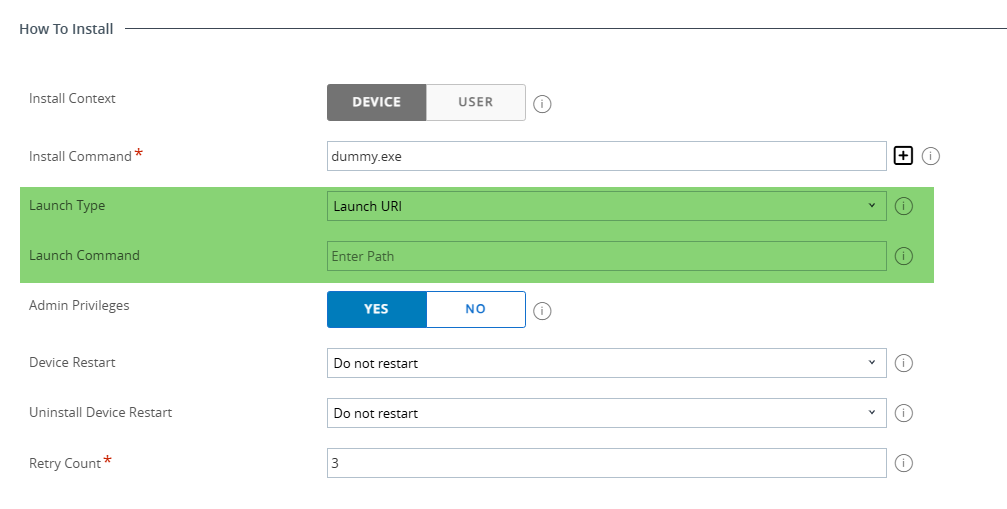

This, of course, immediately got my inventing and engineering minds going, and I had an idea. Why not download and launch single EXE applications directly via a launch URI on a web server in the future? This way, I can make small EXE applications directly available to users and update them easily. The first application that immediately came to mind was TeamViewer (if there are still customers who don't use Omnissa Assist yet ;-)
But wait, I immediately thought of the app deployment requirements.
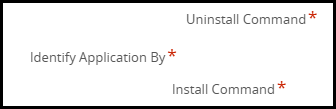
Uninstall Command, Install Command, and Identify Application By, and immediately I thought of our beloved dummy.exe ;-)
echo . > dummy.exe
and zip!
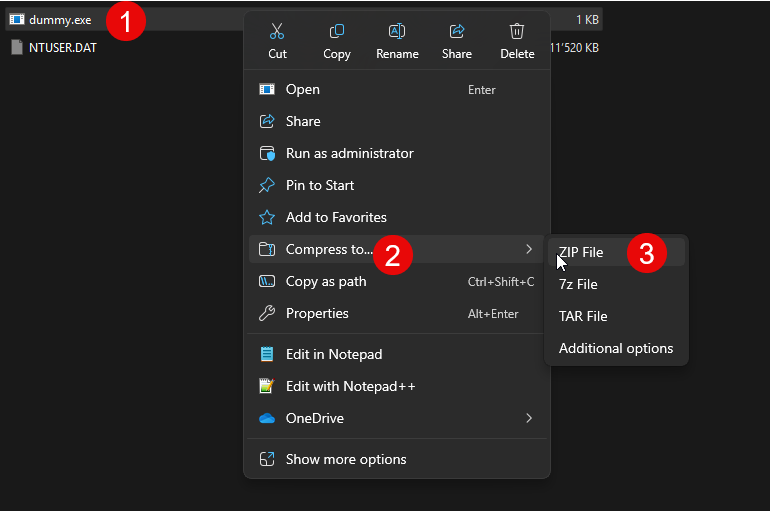
After all preparations were completed, it's time to get down to business:
- Create a new Internal Application
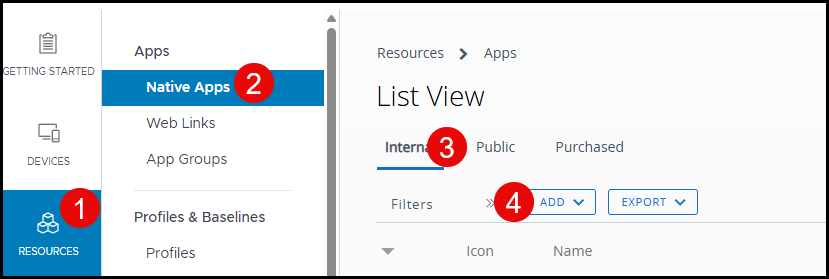
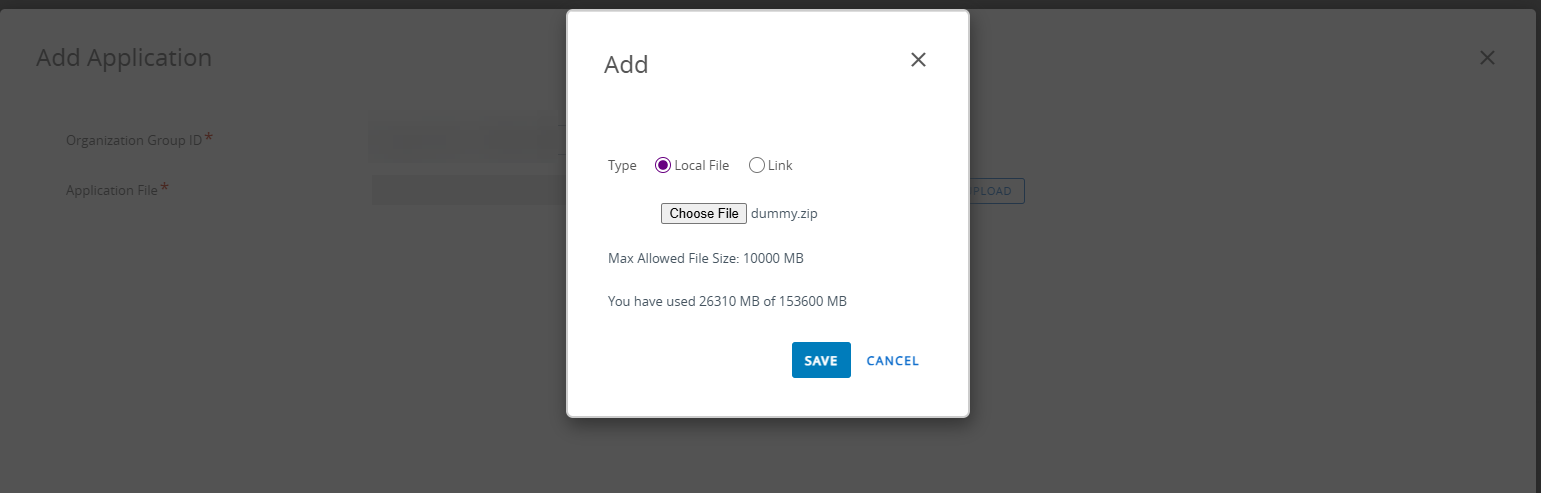
- Upload magical dummy.zip
- Selecting the right Architecture in the new 25.06 Enhanced processor architecture selection for app deployment

- Using
dummy.exefor uninstall Command

- Using
dummy.exefor the install command. Switching Launch Type to Launch Uri and the offical Teamviewer QuickSupport URL as Laucnh Command!
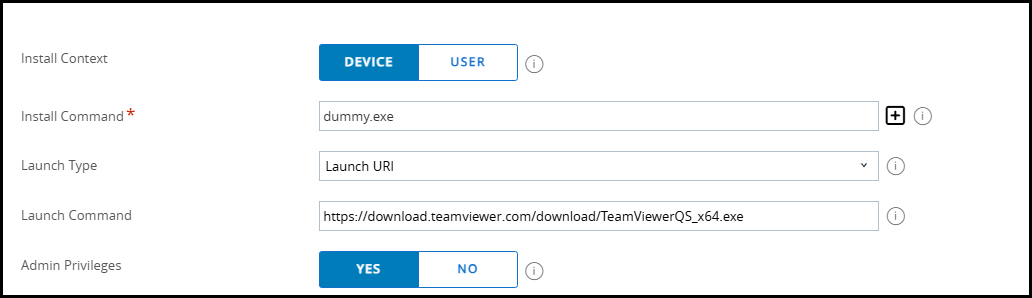
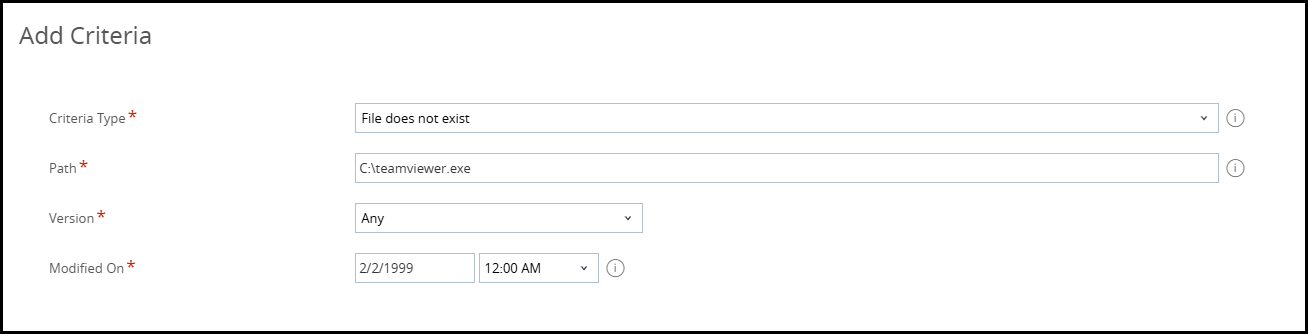
- Defining the "When to call Install Complete" to: Application as installed when "file does not exist" as Criteria ;-)

- Adding the Teamviewer Logo
- Save & Assign
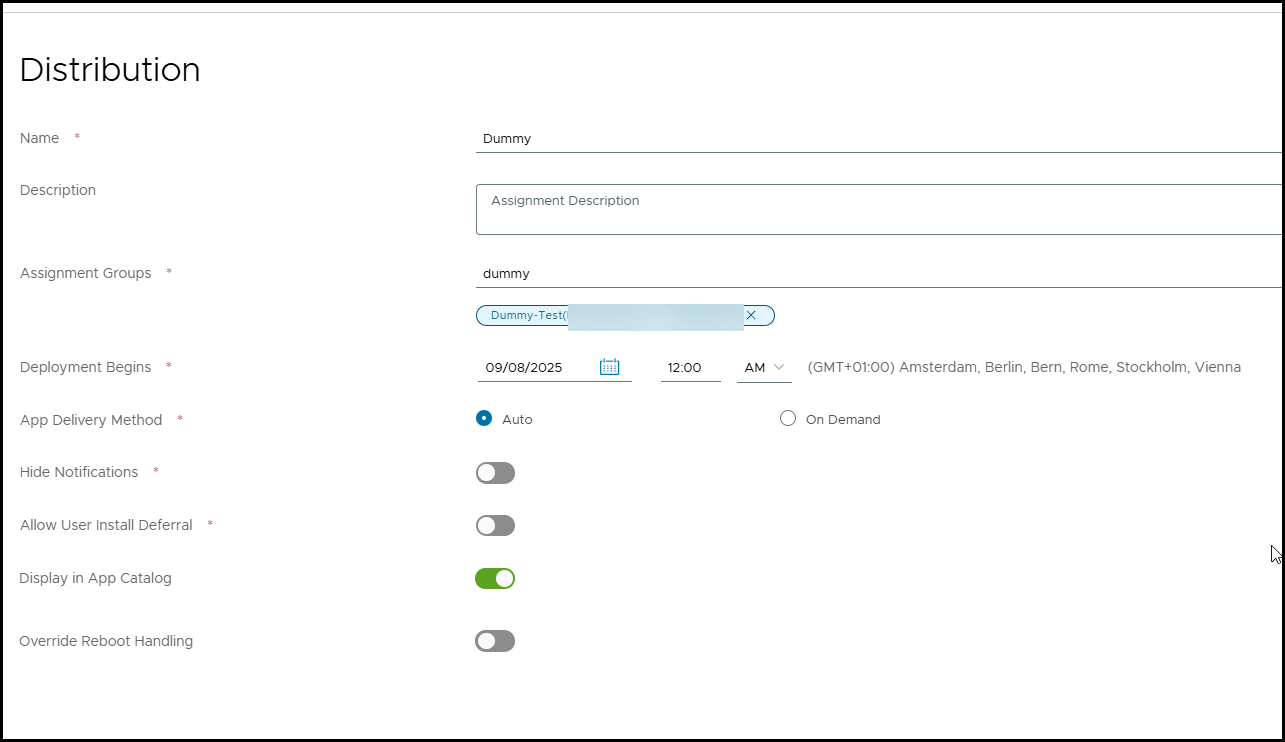
- Done!

- See it in Action ;-)
Conclusion:
The new Launch URI option in Workspace ONE UEM 25.06 opens up creative possibilities beyond standard application deployment. By combining a minimal placeholder (like a dummy.exe) with the Launch URI mechanism, it becomes possible to provide lightweight applications—such as TeamViewer QuickSupport—directly to end users without the overhead of traditional packaging.
This approach not only simplifies distribution but also makes updates much easier, since the executable is retrieved directly from a defined URL. While not a replacement for full application lifecycle management, it’s a clever workaround for scenarios where quick access and flexibility matter more than strict deployment control.
🚀 Most importantly, this new option goes far beyond the traditional way of linking through simple web links in UEM. Applications are now displayed as real applications in the Intelligent Hub — not as websites. This resolves a common source of confusion from the past and opens the door to entirely new possibilities for how we can deliver tools to users.
In practice, this feature could significantly streamline how administrators deliver small, frequently updated tools, while giving users a smoother and more consistent experience right from the Intelligent Hub.
I hope you enjoyed this post. If you have any questions, feel free to reach out — and don’t hesitate to share it!